WordPress spul
I wanted to try out some things with the populair online website and blog creation tools. In my search I ended up trying these two tools:
- WordPress
- Drupal
If you visit their websites it all looks so incredible well: you want both…
Well that is not going to happen, so I start my incredible learning learning curve with this one: wordpress.
Multiple Sites
It all started with adding network capabilities to a fresh install. I used and sub-domain website and for some reason I didn’t get it working with a 4th sub-domain like:
http://<extra_sub>.sub-domain.domain.com
I was starting to dislike the Network function within WordPress that makes this “easy” … but after a complete reinstall and trying above with an appropriate website naming I ended up again with a website link to the admin pages that didn’t work.
In that stage I was considering to deinstall the WordPress software and move on to Drupal … but, than I read a blog that came up with DNS troubles … DNS is off course important if a new sub-domain is added. So I did a refresh on the hosting platform and it still didn’t work. Then I did this magic in my command prompt:

after that command I could reach my newly added website and the wp-admin : I was happy. I could create multiple websites!!
Themes and plugins hell
So I created a couple off dummy websites (including this my-tidbits part) to get familiar with the WP parts. Themes and plugins can only be installed through the main WP website. After that you “enable network” on the installed theme/plugin if you like to use it in the other (network) websites.
But be careful, it will not be easy every time … I tried to use an incredible plugin: Participants Database, but trying to use it in the network website I could not get it working. That is because the Network plugin does a copy of all the WP tables with a prefix:
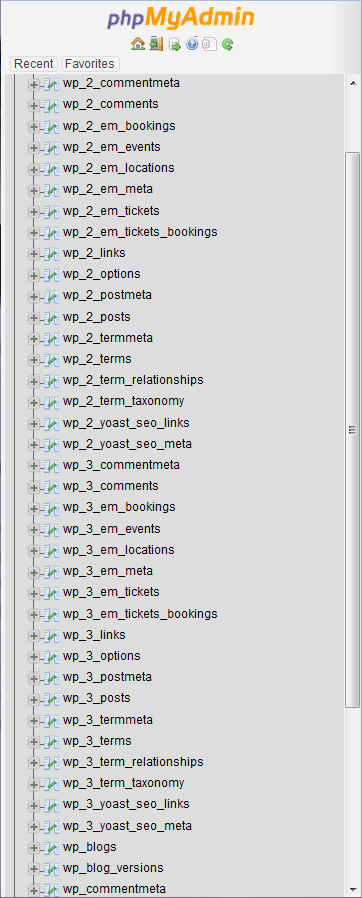
wp_ is the default and the wp_2 and wp_3 are my network websites that I created. So the pluing uses alle the wp_ stuff and there is one wp_participants_database table added.
I copied that table with phpMyAdmin:
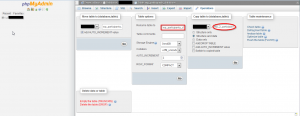
I tried to do insert into the groups table, that was not available. So these are the 3 tables that should be copied:

After these copy actions I could use the Participants Database in the network WP site.
I think I should give this as feedback to the creators of this plugin. That is the way we can help each other. So I left a message on the xnau website.
SecureCI
CoverOS
On my search to gain knowledge over tools that are used to make Continuous Integration and Continuous Deployment (CI/CD) easier, I surfed to a website of CoverOS through a link from an other website.
That´s how it goes many times, off course : They offered a solution for a complete open source stack for CI/CD.
 There are plenty off tools that I want to be familiar with:
- SVN/Git (versionering)
- Jenkins (build tool..)
- Nexus (artifact repository)
- SonarQube (testing if it has the needed code quality)
- Selenium (testsets)
- Maven (automatic deployment to (a) certain enviroment(s) )
There are a couple of other tools that I heard off but never used, but want to know about because the endless posibilities that I might not even know off.
Download
Covering the easy part: downloading was easy. After filling out the form on their website, you get an email with a link on it, just in cases that the redirect to the download page doesn’t work. Saving it, will give you an OVA file that you can import with Oracle Virtualbox.