I have always been jealous with the creative kind of people within my business. Doesn’t matter what field they are in, but there are so many talented people doing things they love.
Now don’t get me wrong: I like my job and the field I work in, but if you ask if I love what I am doing … that would be a No. I like my work, because I really know a lot about it and I can relate to the goals our customers like te achieve. I can do a lot of translation in techniques so that we can help them to reach their goals and make the solutions robust enough for the near future.
But I always felt that I didn’t do enough with my skills. Lately I am blogging almost everything I can think about: parenting, self improvement, IT stuff and in between I am also trying to create a website for our “little” Taekwon-Do club.
I never got or took the time to be great in something and it feels like I am missing out on something. Without even having a clue about what it could be.
Expanding horizon
So that is why I am diving into other things. Not limited to IT related stuff. I can enjoy working in my house, because in my former relationship I was not motivated by my partner to try and learn by doing. In my current relationship we almost always think about it and ask ourselves if we could do it or if it could be to dangerous to try it. That is why we never try to fix toilets … no I am not shitting you 😉
Now I am looking also into other IT related topics:
mobile development
website development
game development
security related experience
The last part is getting so big in our company, that it is suffocating the project development and our goals to have quick develivery moments from dev to prod. It is scary that people make decisions, without really diving into the problems. Now we have to protect our internal network connectivity as if we have a hacker inside our organisation. At that point I always wonder if procedures and a good official contract couldn’t be sufficient. Would save so much effort and money.
Unity 3D
2 years ago I told my partner that this is something I would love to learn myself and I said that within a year I could do something awesome with Unitiy 3D. As time catches up and I can really come up with a dozen excuses: I didn’t make it. So this is take 2 or 5 more or less.
Most of what I do is learning by example, so this title explains what I did and encountered while I was going along with the book flow.
The first thing I learned was that while traveling a little table and a physical mouse was really a handy thing, because the pad doesn’t really work well.
I skipped the first 4 parts of the book because it was really only telling about Unity 3D and default stuff
Projects and project folders
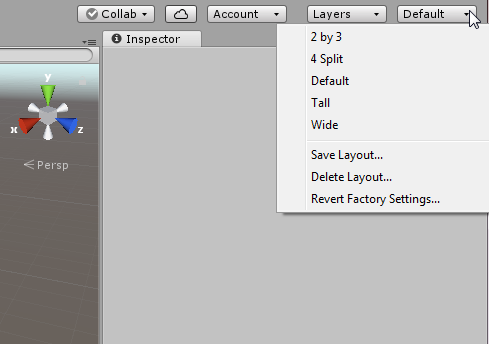
The first important part to remember is that you can easily switch to different views by the Layout dropdown list
Assets
When you are not natively speaking English, than it is not as crystal clear as the ones that have English as their native language.
So assets are the objects we want to use. Like meshes (here we go again. If translated this totally makes no sense) that could be 3D models, houses, trees etc.
That brings us to an important other part of this blog: Unity is a game engine. Not so much an editor. That is why the el cheapoos use Blender 3D, and the more or less pro’s Maya or 3DS Max for the models. GIMP or Photoshop (in the same order for el cheapo and pro 😉 ) for textures (used on created objects) and Audacity to add sound to the world.
After importing the assets through the project menu, you will not see it in your game. They are simply added to be used by you.
Starting a level
A scene in Unity 3D is a level in our game. So remember if your going for mutiple levels in your game!
CTRL-N or File –> New Scene, will give you an almost empty level. Almost because of the default Camera en Lightning that is added to every scene.
In the Hierarchy all the GameObjects are listed. GameObject is every object that you place in the level/scene.
You can select an object by clicking on it in the Scene View, or on the name in the Hierarchy tree.
So after being absent for a period (6 months), there are not many changes on the workplace. But as time passes by, we all feel the urge to make a good decision in choosing the right report-tooling that we can use for our new middleware version on our on-premise cloud environment.
As I did try to use BAM11g 5 years ago and my colleagues are interested, but they have no time to do the research, I volunteered to do this little investigation.
Looking to all the options:
open source tooling??
BTM
BAM
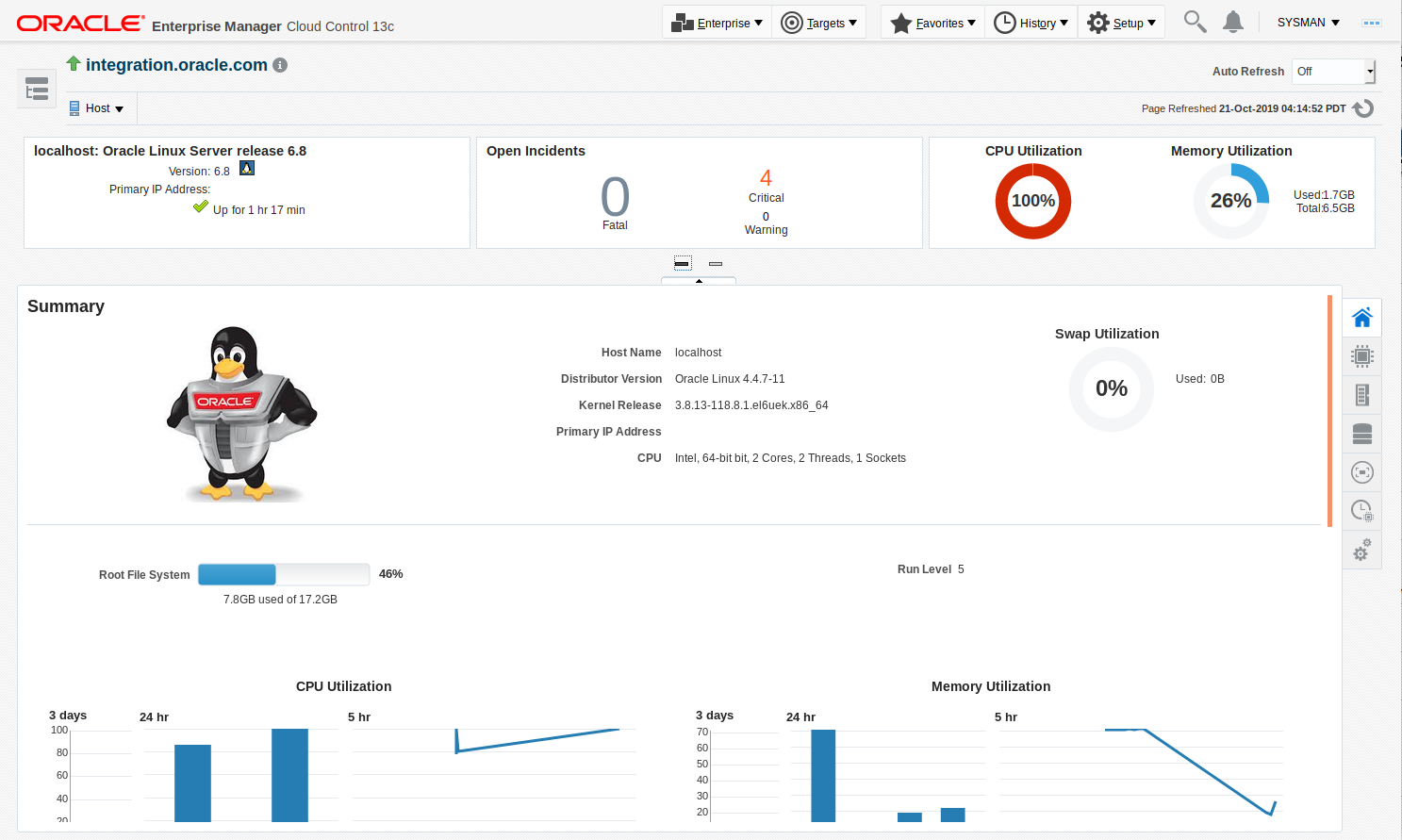
OEM 13c
Oracle Real Time Integration Business Insight
custom development??
But the most important question is why and what do you want to monitor? What is the real business value? Our last attempt was unsuccessful because off all the people who were included in deciding what had to be monitored. This time I want to make it just our technical decision. If we have chosen a tooling that is suitable for our needs, then it is time to look at our customers wishes.
So what do we want?
pro active monitoring. Can we use the tooling to alert us before failure. Can we use PKI’s and certain rolling windows features?
Action should be taken on certain failures:
stop a service if it takes to much memory?
alert through mail if error X or warning Y is arising?
if an error occurs, can we zoom in on the chain of services to pinpoint our faulty service?
…
There can be many more wishes, but this could be a great start.
We have a lot of Oracle software and we have the licences for OEM13c, BTM12c, BAM12c and Oracle Real-Time integration business Insight of course.
What can OEM13c do for us?
Virtual machineries
I have a lot of virtual machines. The onces I use at the moment are:
Older version of the SOA BPM 11.1.1.6 version (no link available anymore)
Custom made version of a Weblogic install with SOA. This was created where colleagues could get acquainted with the stopping and starting sequence, but also one step further: they could build and deploy a simple HelloWorld BPEL Webservice. I installed Oracle BTM as a new domain so I could check the new version we wanted to use and check if the OSB harvesting was better
New installed Oracle DB Developer with my own custom install of the Oracle SOA Suite enviroment.
OEM 13c first show stopper
I started all kinds of virtual machines and off-course I ended up with a unresponsive machine 🙁
So I figured that I should not try all machines at the same time, because even my 32 GB internal memory is limited for a couple of machines!
That said: lets start with some basics. My last development steps were in SOA Suite 11g, so I started this machine with OEM13c.
Starting the OEM13c is time consuming, so I could configure network settings on the machines. I always use 2 network controllers: one is the default NAT network and the other is the “Host only adapter”. That way my virtual machines can reach each other and I can use my own browser to connect with the browser URL’s of the virtual machines.
That all worked, except for my OEM13c machine … I know that I had this problem before and it was firewall ralated. Searching through my blogs: found zip-nothing-nadda … That was done in Word …. a long time ago, as blogging wasn’t as easy as it is nowadays 😉
So what were the commands for disabling my Oracle Linux Firewall?
How to Disable the Firewall for Oracle or Red Hat Enterprise…
Stop the ipchains service. # service ipchains stop. (that gave an error for me!)
Stop the iptables service. # service iptables stop. (that worked for me, now I can reach the server from my other virtual machine and host browser)
Stop the ipchains service from starting when you restart the server. # chkconfig ipchains off. (gave an error again service doesn’t exist)
Stop the iptables service from starting when you restart the server. # chkconfig iptables off. (make sure after rebooting that it still will work … firewall disables I mean)
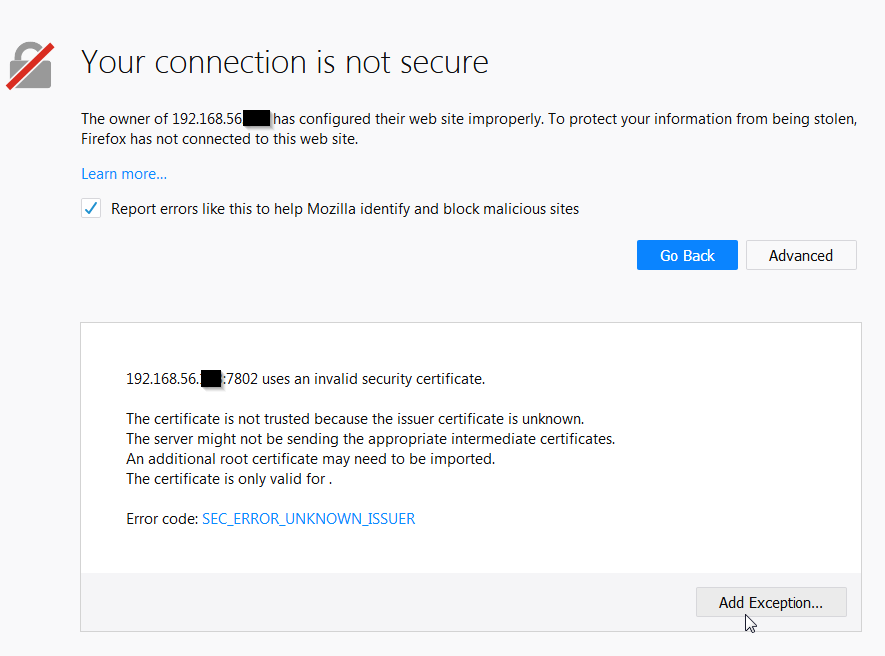
That gave me an security error, but that we can solve easily:
Insecure connection
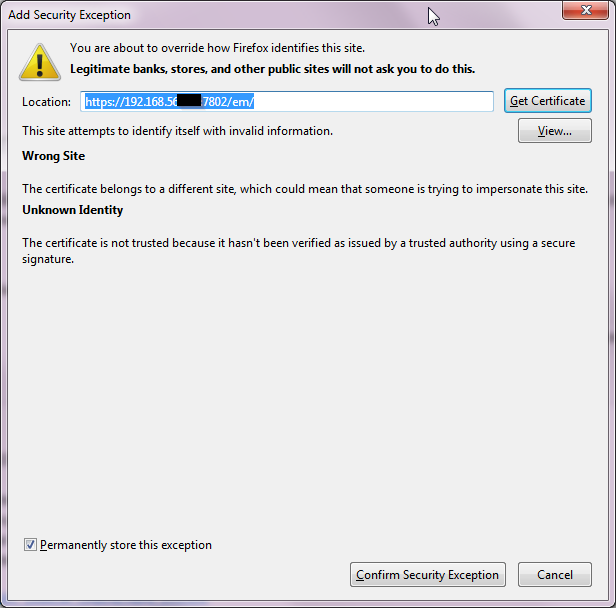
If you accept the fact that you might have an unidentified certificate added to the trusted certificates then your good to go:
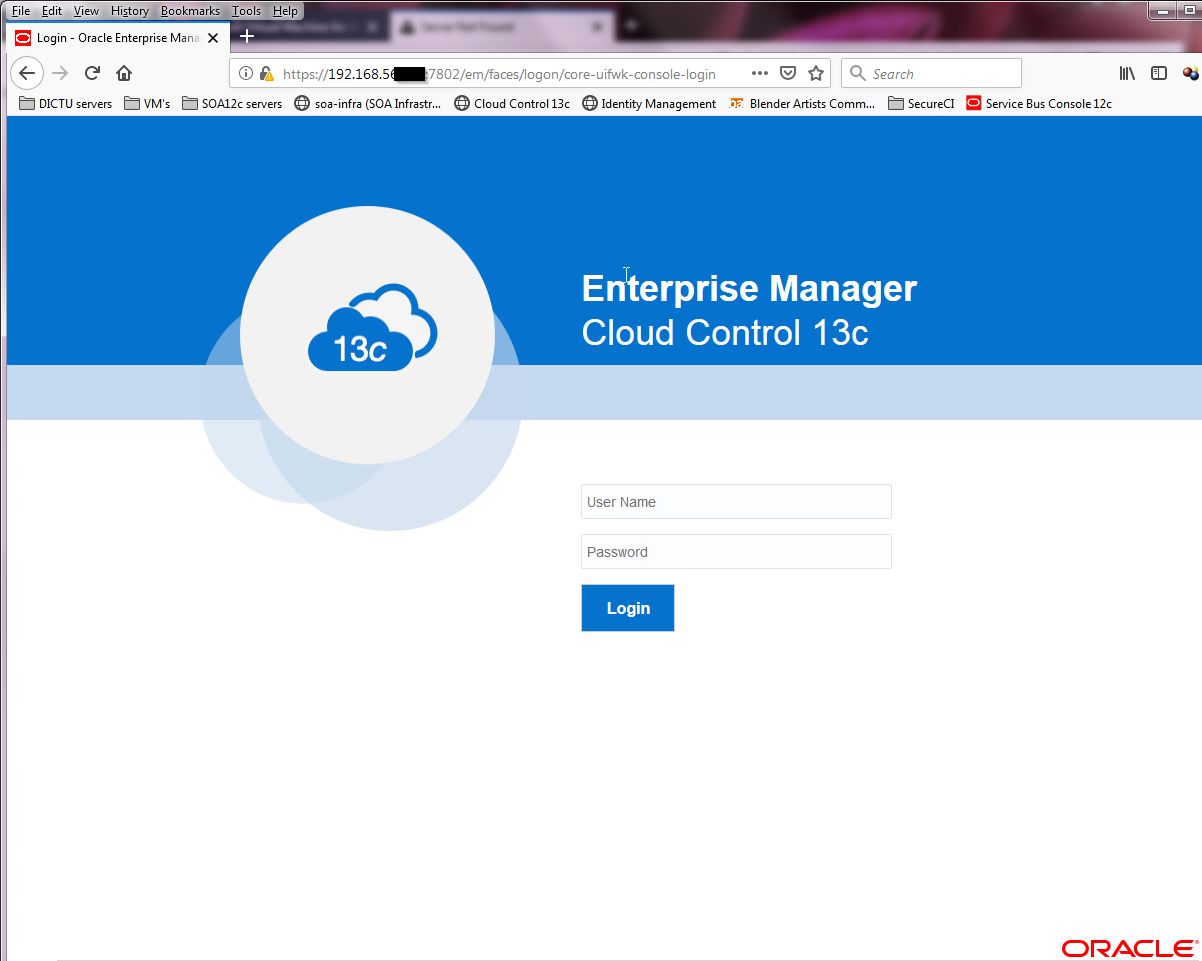
Except unknown certificateOEM login screen
OEM13c Agent install
So we should really get started and get our hands dirty. For me the best way to learn and remember. You could easily learn it with only looking to the documentation but would you remember it after a while? I won’t, so that for me is the reason why I want the hands-on part just so I can remember it better and know what other people are talking about.
So let’s do this!
You can do it somehow automagically, but I prefer the manual way. So you can see what goes wrong 😉 … I tend to be a bit negative with this stuff 😀
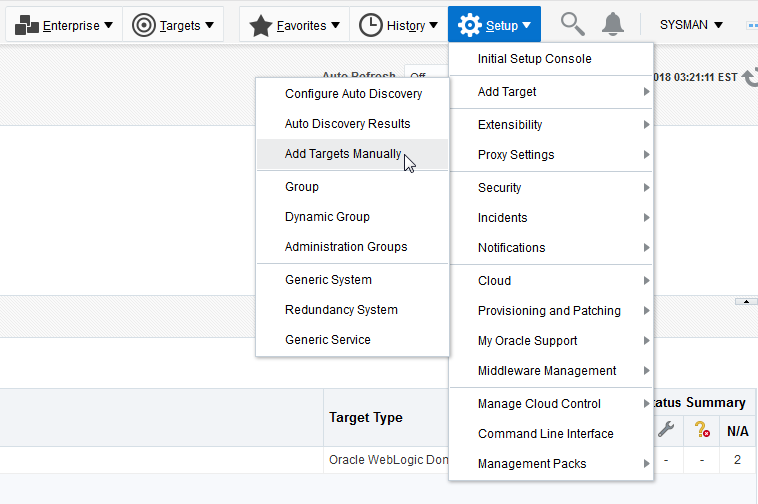
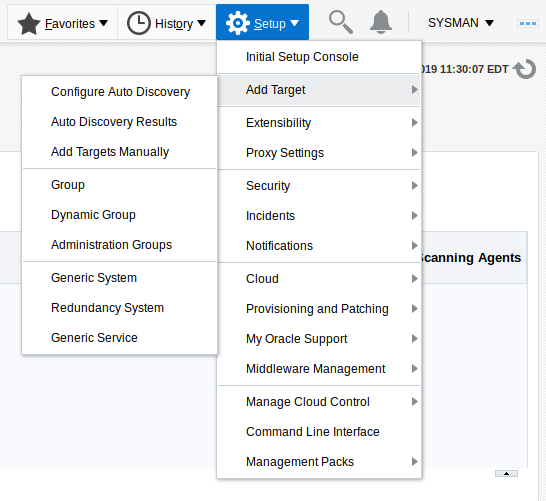
If you log in at the Enterprise Manager you can click in the menu at the top right of the page:
….
The screens for installing showed up and after a long while (OEM transfer the agent software to a location, pre-install checks etc.) it turned out that my Linux version was to old 🙁
So we don’t give up this fast (oh well … it has been months after I finally went on with this test again) and we installed the agent on a newer version of the Oracle Integration Virtual Appliance (SOA Suite QS 12.2.1.3). I installed it succesfully. I could see something happening in OEM13c … but damn: why didn’t I make notes and pictures of it? I guess I was traveling from work to home and made some screenshots with the promise to myself that I would really blog about it within a day. It never happened till now!
But … in the meanwhile I had to reinstall the newer Virtual Appliance because I messed things up. So after starting it once again, I had issues on the OEM13c side…offcourse! It could not connect, because the Agent was non-existing.
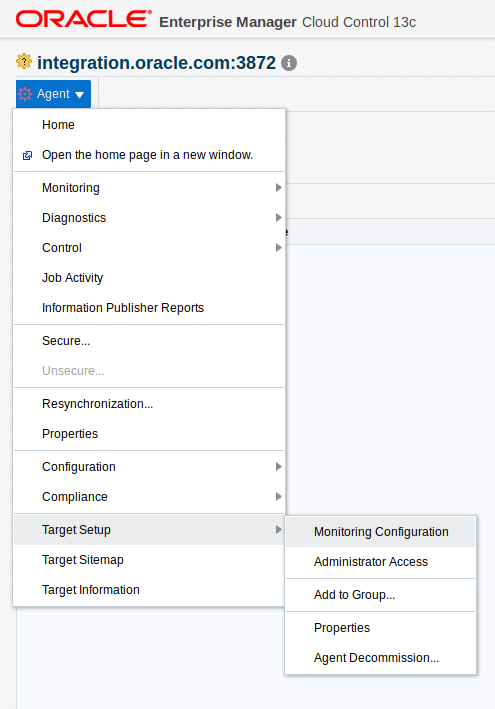
But I remembered that deinstalling was also an option, but I seemed to have forgotten how.
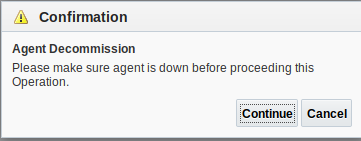
After looking around, I saw the Well after trying the Agent Decommision…
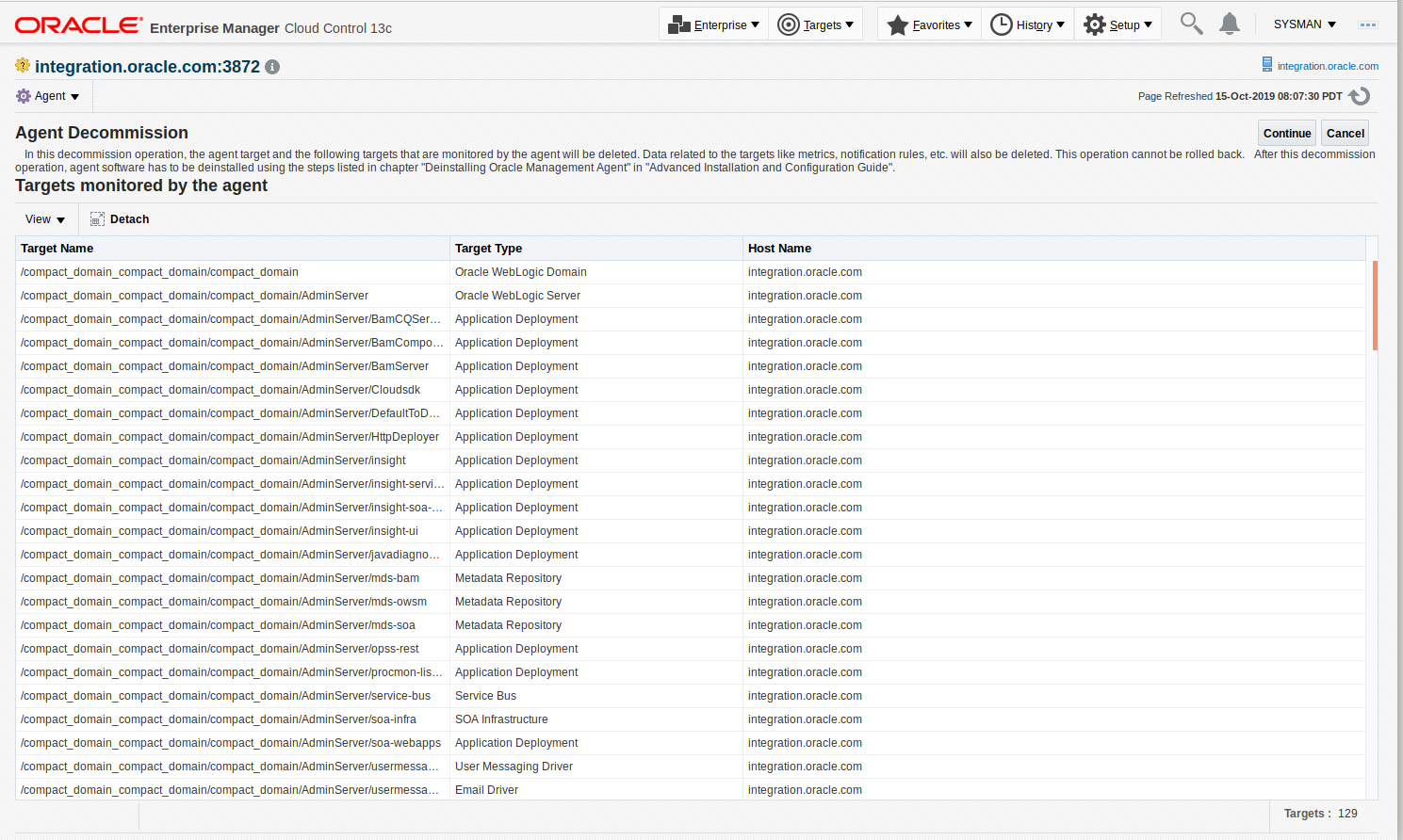
After this you receive the list of items that will be deleted and cannot be undone! So be wise and use your power with great responsibility: I mean push that “Continue” button .. NOW 😉
Quite rapidly the process tells me that everything has gone!! Everything!! 🙁
So this has cleaned up the mess I created a long time ago. But hee, how did I install this in the first place? Oh jeez, my memory is aging I guess cause I don’t seem te remember this as well 🙁
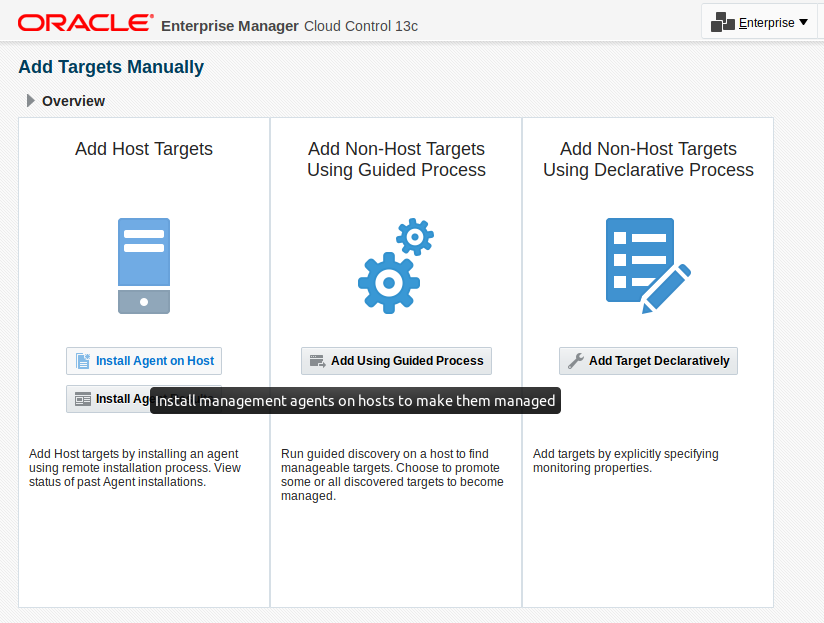
For Auto Discovery, you should be aware of the network components etc. in your network. We can also Add Targets Manually. This opens the screen:
Choose Install Agent on Host
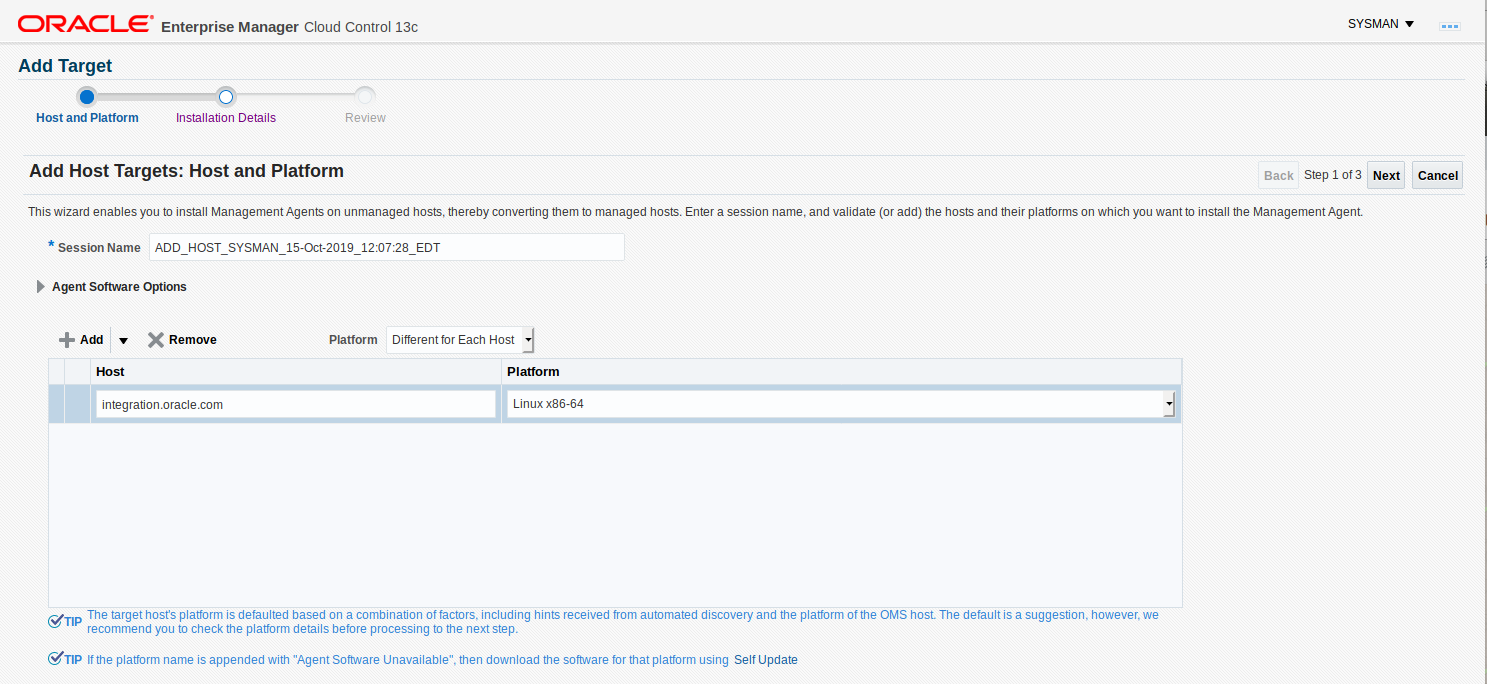
Give the right information, like a FQDN host entry. Cause otherwise the isntaller will fail!
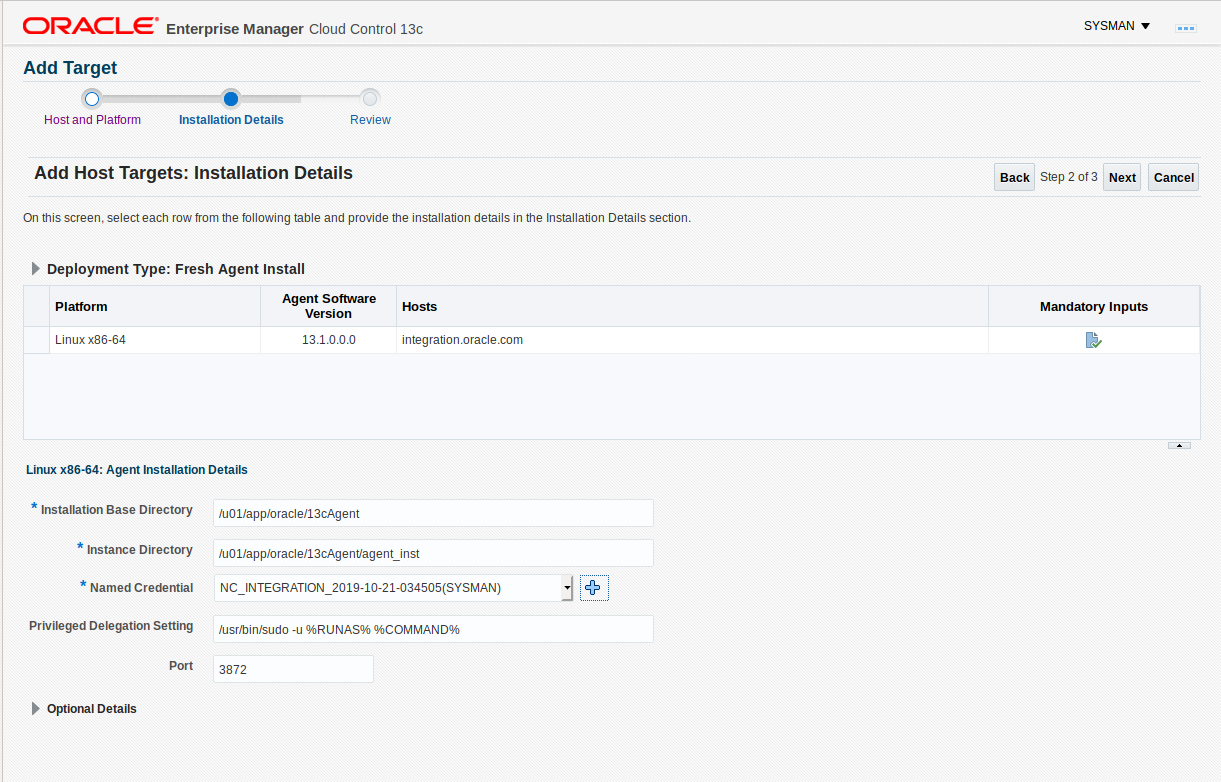
Figure out where to place the files on the target and make sure you use an account that can logon to the system:
I allready had a named credential that I could choose, but I wasn’t sure if it was the right one. So I created a new one with the hostname (integration) in it:
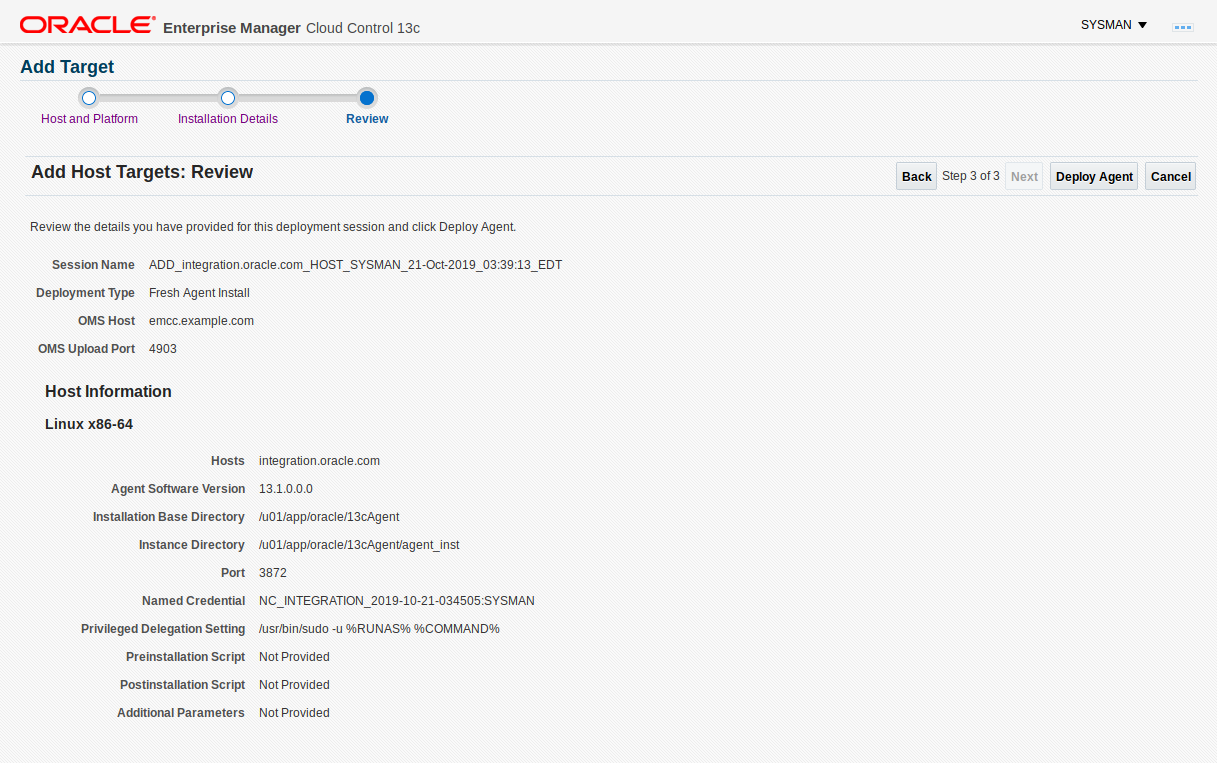
The installer summary is shown:
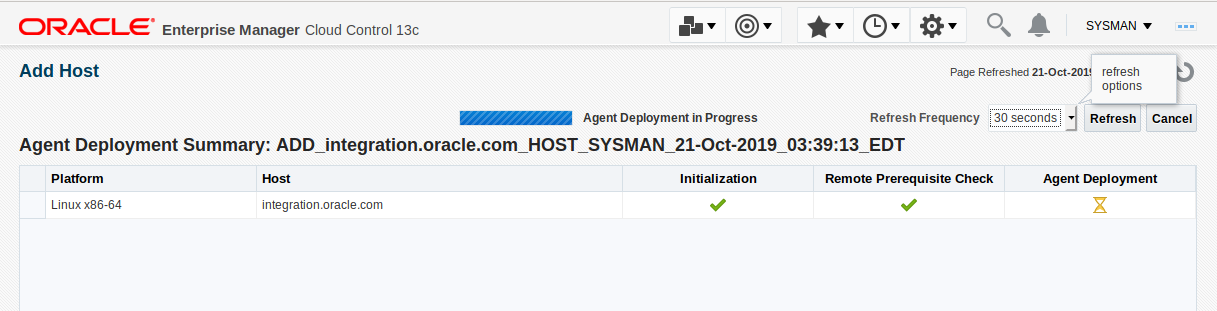
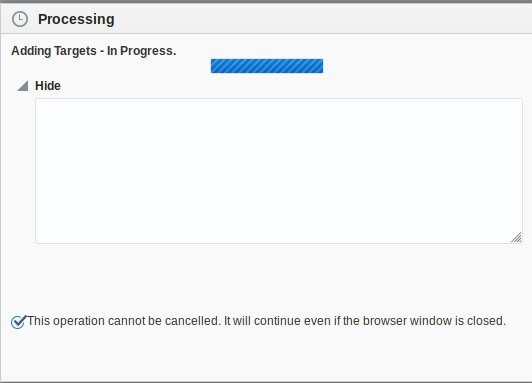
After this the installer show the progress:
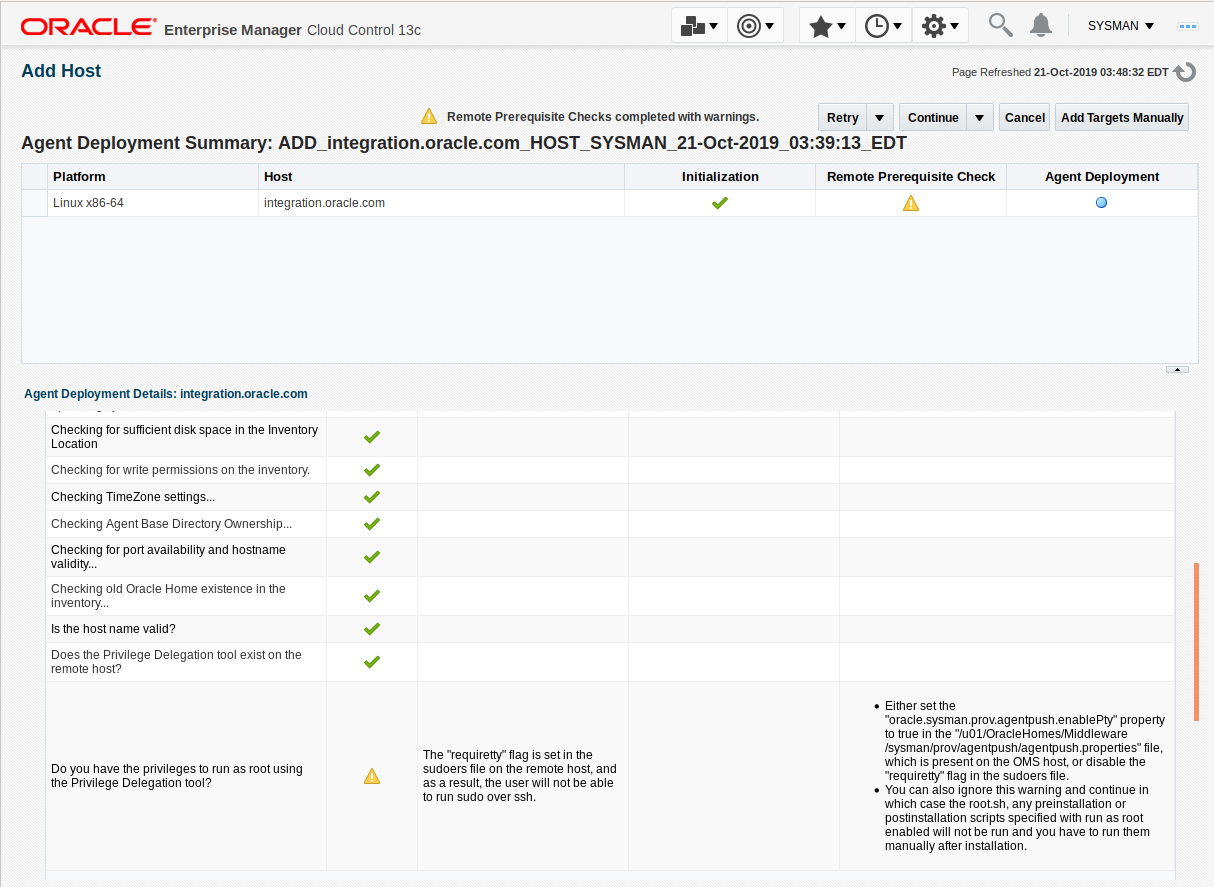
Aww .. shoot: this brings back memories indeed! That error was shown years ago, as I started with this test 😉 … luckily I am blogging about it now as I am trying to. So next time, I could have read it in this blog
“Either set the “oracle.sysman.prov.agentpush.enablePty” property to true in the “/u01/OracleHomes/Middleware/sysman/prov/agentpush/agentpush.properties” file, which is present on the OMS host, or disable the “requiretty” flag in the sudoers file.”
So I changeed the agentpush.properties file … and started once again with the Retry button.
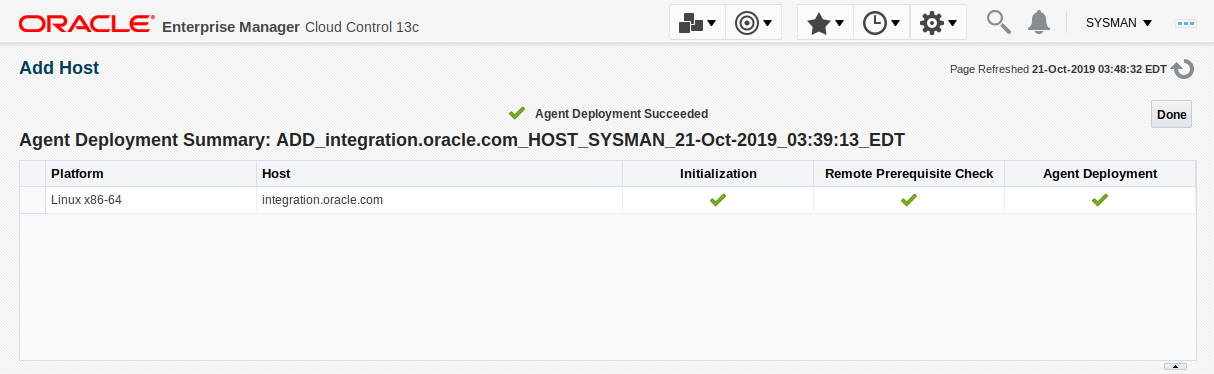
This looks better, with no Remote Prerequisite Check warning:
No Errors:
We had a couple of meetings and after lunch I was looking at a nice screen, but … what the *peep* happened over here? I saw a message that the Agent could not be reached…the virtual machine crashed during the hours of not paying attention 🙁
So after starting my virtual machine again, it gave me this nice screenshot…
So I could not connect with my FMW through the agent, so I stopped the agent. Removed the integration entry after the localhost and added this to the static IP address. This doesn’t fix my problem .. darned ! Now what? Well I am guessing that this won’t be solved in the near future.
oh wait … wait one second. Something else comes into my mind: what was there about firewalls … even in this blog?! Why didn’t I think about that. I got a connection refused and didn’t expect it to be OS related. But now we are discovering things!!
Just for fun: I found this out in the train heading back home! We are travelling to the last stop, so I really hope that this discovering is going fast enough 🙂
crack … a bit closer, but it feels so far away
So after a good nights rest (kinda), I was looking at the error once again. I tried it once more and saw a little message on top of the page about changing more info than click Continue, while I was hitting the Add Targets button .. oh my .. would that be a stupid mistake ?
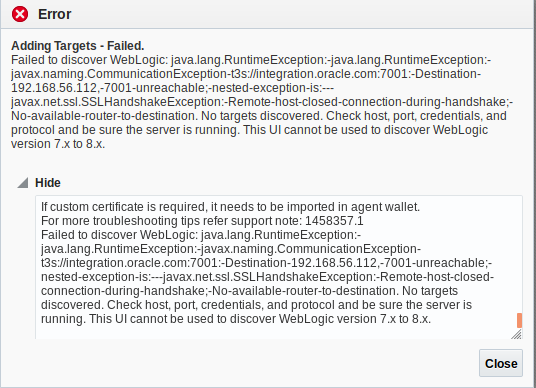
Nope! Once again it stopped with an error .. but with an handshake error … wait a minute …
Error Details:
java.lang.Exception:-java.lang.RuntimeException:-java.lang.RuntimeException:-javax.naming.CommunicationException-t3s://integration.oracle.com:7001:-Destination-192.168.56.112,-7001-unreachable;-nested-exception-is:---javax.net.ssl.SSLHandshakeException:-Remote-host-closed-connection-during-handshake;-No-available-router-to-destination
at
Could it be certificate related? shoot .. one other day ruined 😉
I saw errors about nslookup not being able to find the server integration .. that is odd: it gives an servername with a complete different IP address, that I could not relate to my server and that isn’t showing up in the ifconfig results … odd odd odd ..
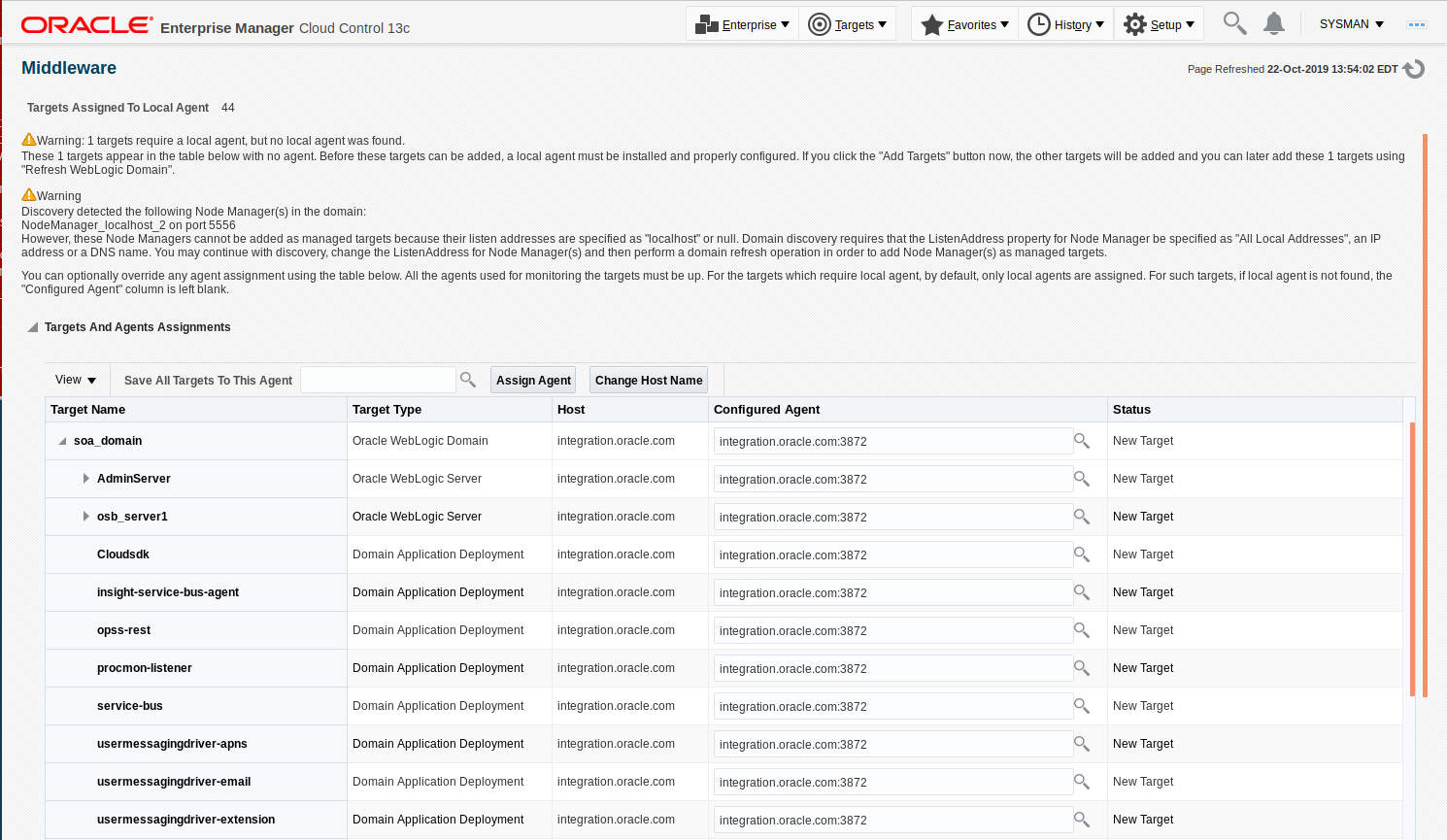
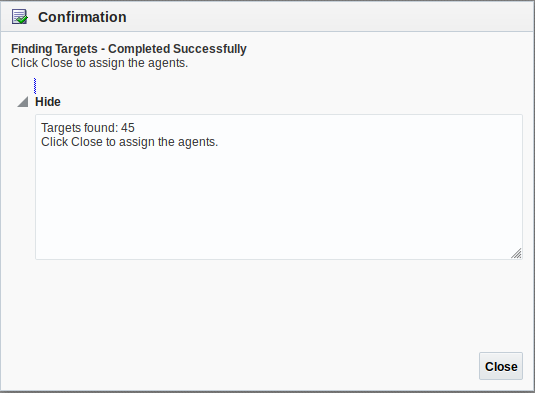
ok .. 4 hours later and I feel really dumb 🙂 … jeez … all the time I was looking at the error that there was an authentication error .. so I finally thought: lets change the first credentials from OS credentials to weblogic credentials … TATAAAAA … problem solved and 45 targets discovered:
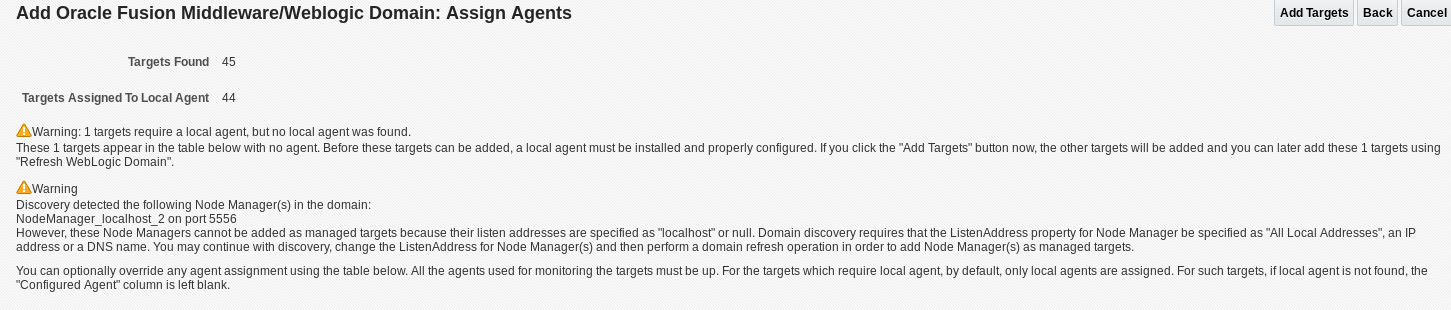
Wait … it states that there is a localhost configured … so I have to look into that, to make sure that everything can be discovered.
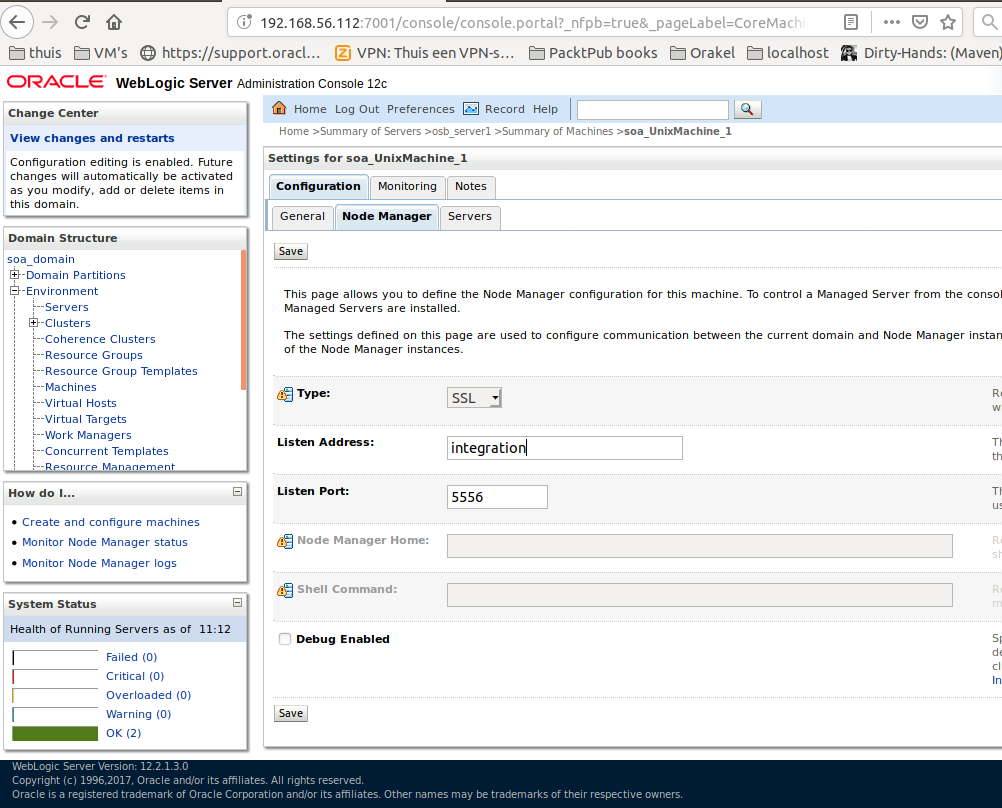
It was stated that the UnixMachine was on localhost, so I changed that to the servername:
but it didn’t seem right, so I’ve removed that entry (believing that is for listening to all addresses) and did an Add Middleware Target again!
But the same message occurred once again 🙁
Oracle Real-Time integration business Insight
After playing around with the default Oracle Integration 12.2.1.3.0 Vbox appliance, I discovered this new tooling and the same goes for the OSA part: Oracle Streaming Analytics.
Trying to comprehend the different use cases for all those different products, it can be resumed like this:
OSA could be used to analyse streams of data and act upon results of the queries
BAM: you can send some data to BAM from within your BPEL process. So at design time you have to add certain watches to make sure that data is sent to the BAM server
Insight: almost the same as BAM,but this time you can add those watches after design time, so its more a business thing.